# rest.nvim


[](https://luarocks.org/modules/NTBBloodbath/rest.nvim)
[Features](#features) • [Install](#install) • [Usage](#usage) • [Contribute](#contribute)

---
A very fast, powerful, extensible and asynchronous Neovim HTTP client written in Lua.
`rest.nvim` by default makes use of its own `curl` wrapper made in pure Lua and a [tree-sitter]
parser to parse `http` files. So what you can run get exact and detailed result what you see from
your editor!
In addition to this, you can also write integrations with external HTTP clients, such as the postman
CLI.
> [!IMPORTANT]
>
> If you are facing issues, please [report them](https://github.com/rest-nvim/rest.nvim/issues/new) so we can work in a fix together :)
## Features
- Easy to use
- Friendly, organized and featureful request results window
- Fast runtime with statistics about your request
- Set custom pre-request and post-request hooks to dynamically interact with the data
- Easily set environment variables based on the response to re-use the data later
- Tree-sitter based parsing and syntax highlighting for speed and perfect accuracy
- Format response body with native `gq` command
- Possibility of using dynamic/environment variables and Lua scripting in HTTP files
- Save received cookies and load them automatically
## Install
> [!NOTE]
> Check [this troubleshooting guide](./INSTALLATION_TROUBLESHOOTING.md) if you have any issues while
> installing this plugin.
### Dependencies
- Neovim >= 0.10.1
- `curl`
- [tree-sitter-http] (if you use `lazy.nvim`)
### [rocks.nvim](https://github.com/nvim-neorocks/rocks.nvim) (recommended)
```vim
:Rocks install rest.nvim
```
### [lazy.nvim](https://github.com/folke/lazy.nvim)
```lua
{
"rest-nvim/rest.nvim",
dependencies = {
"nvim-treesitter/nvim-treesitter",
opts = function (_, opts)
opts.ensure_installed = opts.ensure_installed or {}
table.insert(opts.ensure_installed, "http")
end,
}
}
```
> [!IMPORTANT]
>
> You need lazy.nvim higher than v11 to install rockspec dependencies
### Setup
No `.setup()` call is needed!
Just set your options via `vim.g.rest_nvim`. It is fully documented and typed internally so you get
a good experience during autocompletion :)
```lua
---@type rest.Opts
vim.g.rest_nvim = {
-- ...
}
```
> [!NOTE]
>
> You can also check out `:h rest-nvim.config` for documentation.
### Default configuration
```lua
---rest.nvim default configuration
---@class rest.Config
local default_config = {
---@type table Table of custom dynamic variables
custom_dynamic_variables = {},
---@class rest.Config.Request
request = {
---@type boolean Skip SSL verification, useful for unknown certificates
skip_ssl_verification = false,
---Default request hooks
---@class rest.Config.Request.Hooks
hooks = {
---@type boolean Encode URL before making request
encode_url = true,
---@type string Set `User-Agent` header when it is empty
user_agent = "rest.nvim v" .. require("rest-nvim.api").VERSION,
---@type boolean Set `Content-Type` header when it is empty and body is provided
set_content_type = true,
},
},
---@class rest.Config.Response
response = {
---Default response hooks
---@class rest.Config.Response.Hooks
hooks = {
---@type boolean Decode the request URL segments on response UI to improve readability
decode_url = true,
---@type boolean Format the response body using `gq` command
format = true,
},
},
---@class rest.Config.Clients
clients = {
---@class rest.Config.Clients.Curl
curl = {
---Statistics to be shown, takes cURL's `--write-out` flag variables
---See `man curl` for `--write-out` flag
---@type RestStatisticsStyle[]
statistics = {
{ id = "time_total", winbar = "take", title = "Time taken" },
{ id = "size_download", winbar = "size", title = "Download size" },
},
---Curl-secific request/response hooks
---@class rest.Config.Clients.Curl.Opts
opts = {
---@type boolean Add `--compressed` argument when `Accept-Encoding` header includes
---`gzip`
set_compressed = false,
---@type table Table containing certificates for each domains
certificates = {},
},
},
},
---@class rest.Config.Cookies
cookies = {
---@type boolean Whether enable cookies support or not
enable = true,
---@type string Cookies file path
path = vim.fs.joinpath(vim.fn.stdpath("data") --[[@as string]], "rest-nvim.cookies"),
},
---@class rest.Config.Env
env = {
---@type boolean
enable = true,
---@type string
pattern = ".*%.env.*",
---@type fun():string[]
find = function()
local config = require("rest-nvim.config")
return vim.fs.find(function(name, _)
return name:match(config.env.pattern)
end, {
path = vim.fn.getcwd(),
type = "file",
limit = math.huge,
})
end,
},
---@class rest.Config.UI
ui = {
---@type boolean Whether to set winbar to result panes
winbar = true,
---@class rest.Config.UI.Keybinds
keybinds = {
---@type string Mapping for cycle to previous result pane
prev = "H",
---@type string Mapping for cycle to next result pane
next = "L",
},
},
---@class rest.Config.Highlight
highlight = {
---@type boolean Whether current request highlighting is enabled or not
enable = true,
---@type number Duration time of the request highlighting in milliseconds
timeout = 750,
},
---@see vim.log.levels
---@type integer log level
_log_level = vim.log.levels.WARN,
}
```
## Usage
Create a new http file or open an existing one and run the `:Rest run {name}` command, or
just place the cursor over the request and simply run `:Rest run`.
### HTTP file syntax
```
Method Request-URI HTTP-Version
Header-field: Header-value
Request-Body
```
> [!NOTE]
> rest.nvim follows [intellij's http client spec](https://www.jetbrains.com/help/idea/exploring-http-syntax.html)
> for `.http` file syntax. You can find examples of use in the [spec/examples](./spec/examples)
> directory.
### Keybindings
By default `rest.nvim` does not have any key mappings except the result buffers so you will not have
conflicts with any of your existing ones.
### Commands
| User Command | Behavior |
|------------------------|------------------------------------------------------|
| `:Rest open` | Open result pane |
| `:Rest run` | Run request under the cursor |
| `:Rest run {name}` | Run request with name `{name}` |
| `:Rest last` | Run last request |
| `:Rest logs` | Edit logs file |
| `:Rest cookies` | Edit cookies file |
| `:Rest env show` | Show dotenv file registered to current `.http` file |
| `:Rest env select` | Select & register `.env` file with `vim.ui.select()` |
| `:Rest env set {path}` | Register `.env` file to current `.http` file |
> [!INFO]
> All `:Rest` subcommands opening new window support `command-modifiers` (`:h command-modifiers`.)
> For example, you can run `:hor Rest open` to open result pane in horizontal split.
See `:h rest-nvim.commands` for more info
### Lua scripting
```http
http://localhost:8000
# @lang=lua
> {%
local json = vim.json.decode(response.body)
json.data = "overwritten"
response.body = vim.json.encode(json)
%}
```
Put `# @lang=lua` comment just above any script elements.
Scripts without `@lang` will be parsed as javascript code to match with [http spec](https://www.jetbrains.com/help/idea/exploring-http-syntax.html#response-handling).
## Extensions
### Telescope Extension
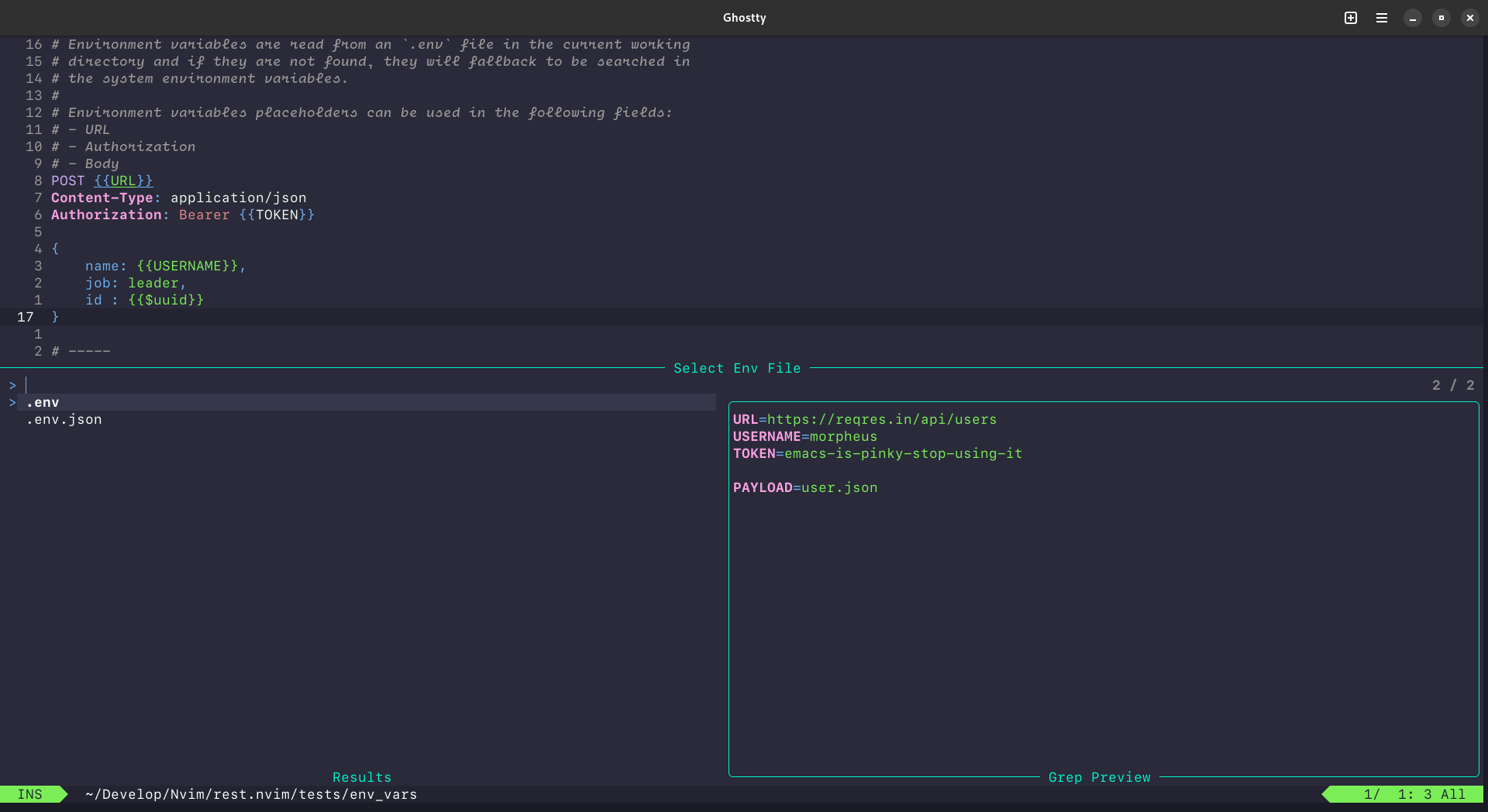
`rest.nvim` provides a [telescope.nvim] extension to select the environment variables file,
you can load and use it with the following snippet:
```lua
-- first load extension
require("telescope").load_extension("rest")
-- then use it, you can also use the `:Telescope rest select_env` command
require("telescope").extensions.rest.select_env()
```
Here is a preview of the extension working :)
#### Mappings
- Enter: Select Env file
- Ctrl + O: Edit Env file
#### Config
- `config.env.pattern`: For env file pattern (lua-pattern)
### Lualine Component
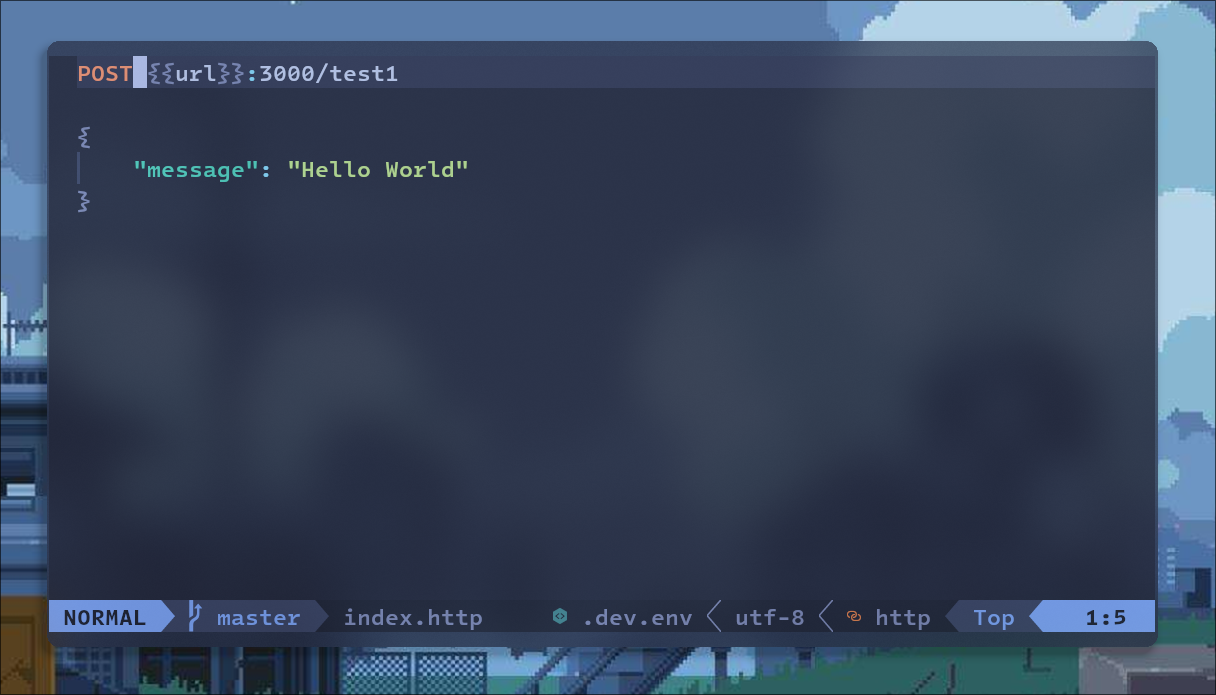
We also have lualine component to get what env file you select!
And don't worry, it will only show up under HTTP files.
```lua
-- Just add a component in your lualine config
{
sections = {
lualine_x = {
"rest"
}
}
}
-- To use a custom icon and color
{
sections = {
lualine_x = {
{
"rest",
icon = "",
fg = "#428890"
}
}
}
}
```
Here is a preview of the component working :)
## Contribute
1. Fork it (https://github.com/rest-nvim/rest.nvim/fork)
2. Create your feature branch (`git checkout -b my-new-feature`)
3. Commit your changes (`git commit -am 'feat: add some feature'`)
4. Push to the branch (`git push -u origin my-new-feature`)
5. Create a new Pull Request
> [!IMPORTANT]
>
> rest.nvim uses [semantic commits](https://www.conventionalcommits.org/en/v1.0.0/) that adhere to
> semantic versioning and these help with automatic releases, please use this type of convention
> when submitting changes to the project.
Tests can be ran via `make test`. You must have `luarocks` installed to install dependencies. The
test runner through `make test` will automatically install all required dependencies.
## Related software
- [vim-rest-console](https://github.com/diepm/vim-rest-console)
- [Hurl](https://hurl.dev/)
- [HTTPie](https://httpie.io/)
- [httpYac](https://httpyac.github.io/)
## License
rest.nvim is [GPLv3 Licensed](./LICENSE).
[tree-sitter]: https://github.com/tree-sitter/tree-sitter
[tree-sitter-http]: https://github.com/rest-nvim/tree-sitter-http